

Smarter navigation
For Heading entries, Navigator now displays a tooltip with the outline word and character count that includes all sub-outline words and characters.
Writer
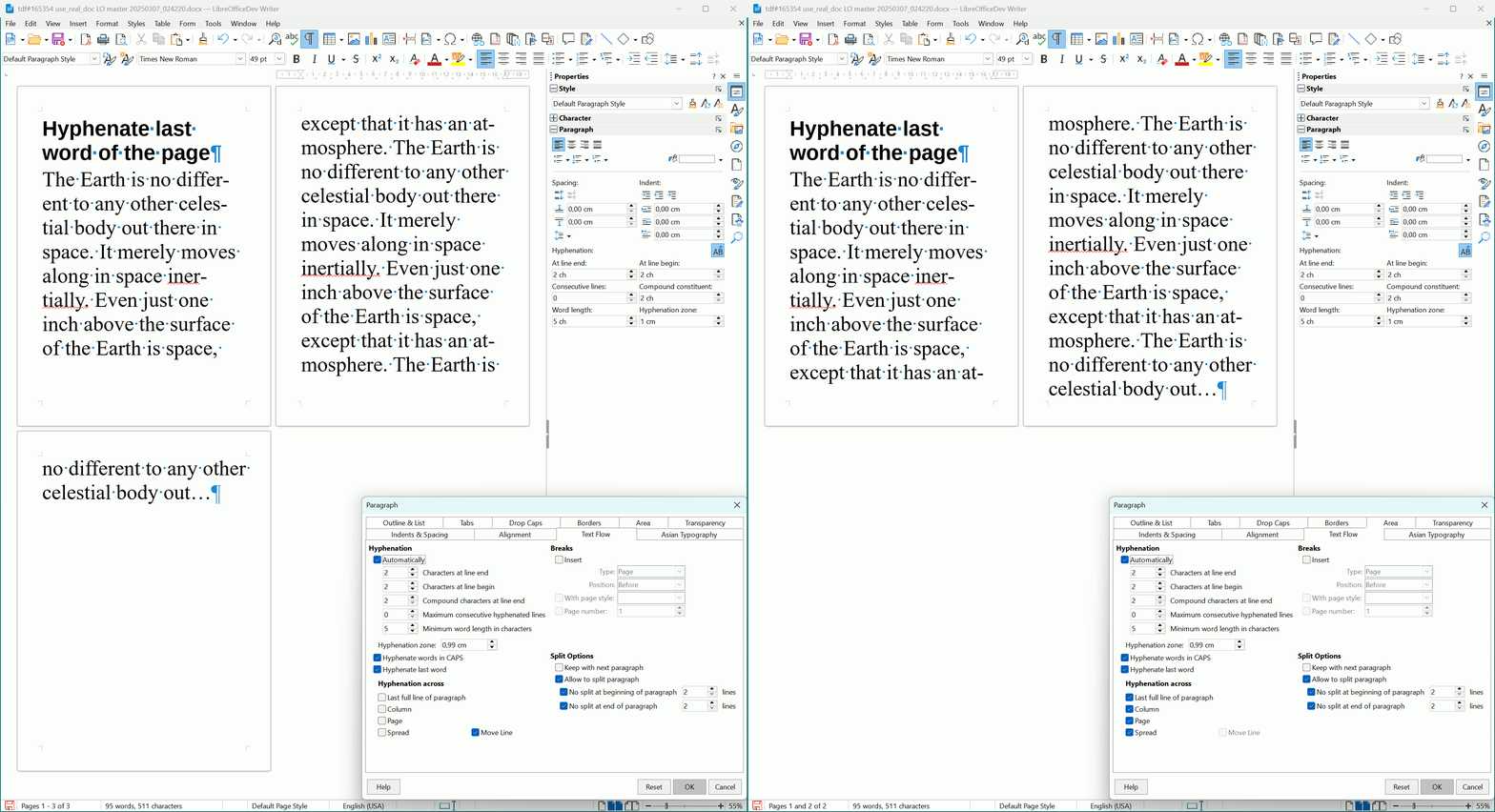
- Move line hyphenation rule is added to choose whether or not to hyphenate the last line words of the pages and move the whole lines to the next pages instead.
- A command was added to insert a paragraph break before a table: “.uno:BreakAboveTable”.
- It is now easier to control how text is selected while scrolling the view.
- An option to redact images was added in the Auto-Redact dialog Tools ▸ Auto-Redact ▸ Add Target.
- It is now possible to ‘reinstate’ changes in Writer (reject with history)
Calc
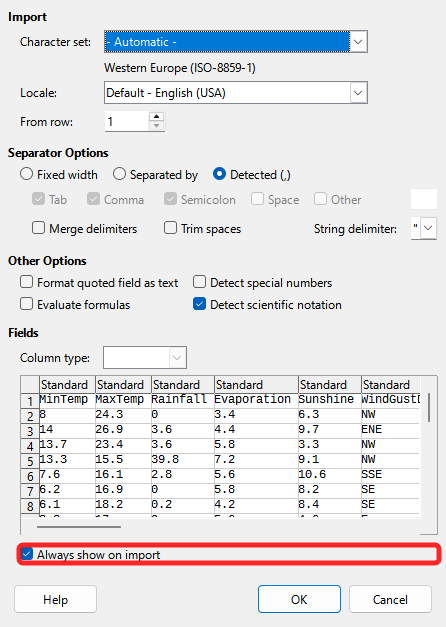
- Text Import dialog, that is used in CSV import, now has Always show on import checkbox (enabled by default).
- Conditional formatting operators in icon sets can now be customised.
- A “Clear AutoFilter” option was added to the context menu of Calc cells.
- Text Import dialog is now only shown for Paste Special actions to avoid unnecessary interruptions.
- New functions: CHOOSECOLS/ROWS, DROP, EXPAND, HSTACK, TAKE, TEXTAFTER/TEXTBEFORE/TEXTSPLIT, TOCOL/TOROW, VSTACK, and WRAPCOLS/WRAPROWS
Impress & Draw
- Ctrl + scrollwheel changes how many slides are displayed per row in the Slide Sorter view.
- Embedded fonts in PPTX files are now supported.
- Master Slides in Impress and Master Pages in Draw can now be copied.
- In Draw, Boundaries are shown for page margins.
General
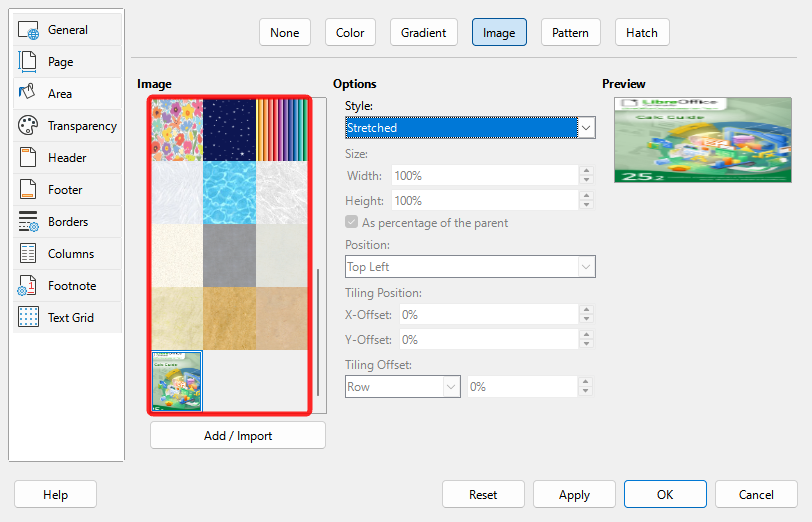
- Background image in the document now visible as a bitmap thumbnail in Page Style ▸ Area ▸ Bitmap.
- Encrypted hybrid PDFs can now be imported.
- Support for exporting PDF 2.0 (ISO 32000-2) was added.
- The UI picker View ▸ User Interface… allows users to activate toolbars.
Youn can read the detailed releases notes in its entirety here.
Detailed release notes. →Download latest version of LibreOffice for